
Smart Plugs - a Year Later
Computer: Tea, Earl Grey. Hot.
It's a beautiful dream and with Amazon Alexa, Google Home, Siri, Bixby (ha) and others we get a little closer each time. Add matter-energy conversion, intra-spacial tunneling that isn't bound by relativity and the speed of C and we may one day find ourselves in the Cosmos facing off against goatee-clad alien warriors.
My generation may have to wait to fully experience Roddenberry's utopian future vision for humanity, at least we can talk to our computers now and sometimes that can even carry a level of utility with it. Last year I shared some stuff here about using Amazon Echo and related Alexa Smart Home Skills and Wifi-enabled smart switches to power games on and off and to play music in the game room.
After living with two brands of smart plugs for about a year, in our game room and other parts of the home, I thought it might be a good time to do a deep dive in how that's been working out. What works, what doesn't.
Smart Plugs
I went with two brands of plugs in my implementation, not necessarily intentionally but that's just sort of how it shook out through coupons, rebates, coupons, etc. iHome and Belkin Wemo. There are others out there but I'll stick with what I know. Here are my thoughts on each.
iHome Plugs
The Hardware

Originally, I favored the iHome plugs because of their convenient size and form-factor. The plugs have a convenient button, two convenient status indication lights: One signifying power state and one signifying wifi connectivity status.
The iHome plugs have convenient HomeKit ID labels or adding them to your HomeKit setup and for adding to the iHome app.
Based on the plug size, you can fit two on a standard wall plate or a few on a power strip with the correct plug orientation.

The App and Setup
Plug setup is pretty simple and standard for these sorts of things. These plugs are Homekit compatible (mostly) so I opted for an iPhone to manage them. You can use the Homekit discovery features of iOS to set them up or configure them within the iHome Control app (available from the App Store and Google Play).
The setup app attempts to OCR the HomeKit ID label while adding a new plug. It sounds like a good idea except that in most cases, that ID window is nearly impossible to get to while the plug is in an outlet. (It is on the bottom.) That aside, points for trying to save me the step of entering a code.
The plugs join your WiFi network and can be organized in Locations (DoddHome in this picture), Rooms, Zones, and Scenes / Macros. You can classify a plug based on it's service type, things like fans, outlets, video games, etc. This doesn't seem to really do much of anything, just provide at a glance the type of object on a plug.
The iHome Control app is a little kludgy in terms of device editing. I very often power on a device by accident, trying to edit the specific device definition. Sorting, doesn't work.
Another fuzzy aspect to the iHome setup is they have a portal account associated with ihomeaudio.com and the nature of that account is a little on the mystical side. My original setup process required me to create an account with a username. Later on, integrations with other services required integration to an account with an email address as the password. Somehow in that mess, I apparently have two accounts on their backend and had to go through these extra steps of essentially sharing the plugs with myself.
Apparently they have that solved now. The need for an account given HomeKit's nebulous infrastructure makes sense, your device definitions need to live somewhere in the cloud so that they aren't lost when your phone is reset. It appears their original implementation didn't consider the concept of integration to third party services (Alexa Skills, Google Home, IFTTT, Stringify, etc) so I believe that is the cause for the initial account mess.
A couple of engrish emails in June of last year after all of the plugs stopped working and my accounts were merged successfully.
This made it ...slightly .. more reliable..

Service Reliability
The service reliability has improved some since my accounts were merged but still isn't exactly rock-solid. Occasionally all of the plugs just fall away. More often, they work from the iHome Control app but aren't available to Alexas, IFFT and other services.
Sometimes but not always I can trace this to internet connectivity outages or power outages. If the cable modem disconnects but wifi remains up, it seems as if the plug times out connecting to the cloud. Even though the plug LED's indicate successful operation it becomes unavailable to iHome Control, Apple HomeKit, IFFT, Alexa, etc.
The solution, annoying as it is, seems to be to just unplug the iHome plug - plug it back in once the internet is available again.
This is .. annoying, especially considering the whole point of this is to have plugs located in inconvenient-to-reach areas, like behind big-assed video games or floor lamps tucked away behind the couch in the Den.
Network Presence and Data Consumption
On the wifi-side, the iHome plugs seem to work out well in terms of connectivity to our mesh network. They stay connected to our wifi, despite loosing connectivity to their parent cloud services.
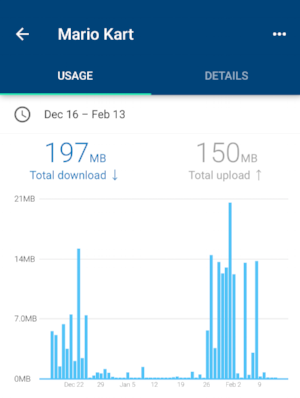
They do, however consume more traffic than the Wemo. Below is one plug, for 60 days. (Left) Not a ton of data for 60 days if you compare to something like an IP camera, though. (right) But still, 200 mb U/D of data consumption to turn something on and off might be a consider if you are living the mobile-broadband / limited data lifestyle.
Customer Service

My early impressions with iHome customer service was pretty dismal, especially considering the added bonus of complexity and burden of proof associated with the concept of: "Your service's integration with (other service) is down." The classic technical support tendency where multiple vendors are involved to point to the other guy takes hold.
In order to get support at all, I had to distill the issues down to distinct failures with iHome products themselves. The integrations with Alexa, IFFT, Google Home and others just isn't something they are set up to support.
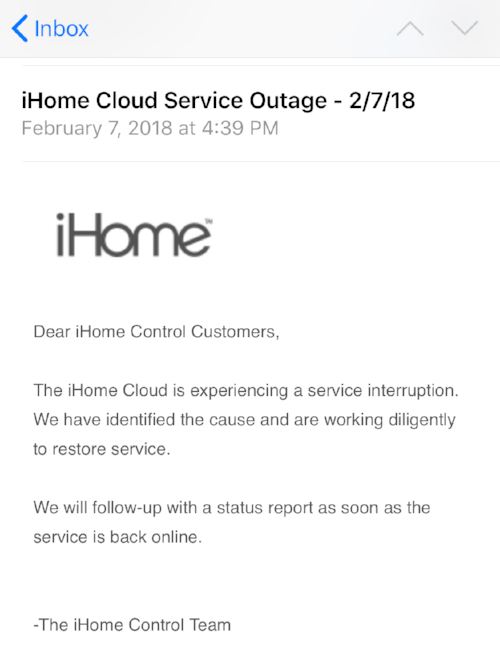
One step in the right direction is that recently I received a proactive email blast to let me know their services were unavailable. The outage lasted for about 18 hours, which was a bummer but at least they owned it.
iHome Conclusion
iHome seems to be improving but hasn't been a trouble-free experience. My plugs are in the "not bad enough to replace but not good enough for me to keep buying" category, for now. If the service continues to improve, I'll consider them for future growth.
Belkin Wemo Plugs
The other brand of smart plug that I engaged with was Belkin Wemo. Sort of, by accident. It was a function of coupons, rebates and Christmas, Birthday and Father's Day gifts that put me into multiple ecosystems.
The Hardware
The Belkin Wemo smart plug originally was released on only the gigantic wall-wart format (below, left) and more recently is available in a new mini-plug design that is still larger than iHome's mini plug but small enough to not take up an entire outlet, or small city block like the original plug.
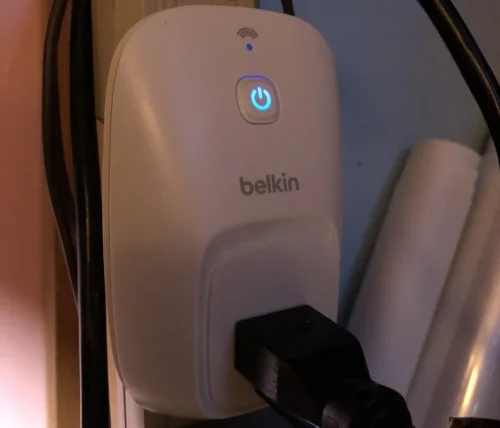
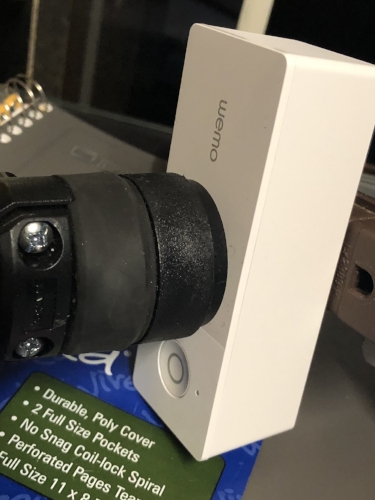
In addition to the smart plug, Belkin was wise to offer a wall switch and they were one of the first to market with a Wifi / Cloud Services enabled wall-switch like this.

The App and Setup

Setting it up
Setting up the Wemo plugs using their app isn't quite a walk in the park but has gotten better over the year. Originally, I experienced considerable weeping and gnashing of teeth using their setup process to add plugs to the network. The Wemo plugs join and present themselves as Wifi endpoints. You set up the plug by starting the app, initiating the new device process, then jumping out of the app, joining that temporary Wifi endpoint and re-opening the app.
That's not unheard of for these devices but two issues persisted during my initial setup of Wemo devices. The first was that the app open / close - join / rejoin activities would crash the app and leave the plug in some sort of half-configured state. The second was that the original firmware for the plugs (circa 2015) didn't include support for strong Wifi passwords. If your router has a strong wifi password with spaces, special characters - you'd have to join the plug to an insecure endpoint, allow it to update firmware, then rejoin the secured endpoint after the firmware update. Classic technical chicken-egg complex. I need wifi to get the firmware update but I can't join the wifi because of the firmware. SUPER FRUSTRATING....
Good news is, they seem to have most of those issues ironed out. The last five plugs I've installed came boxed with an appropriate minimum firmware and the app is considerably more stable.
Living with it
The Wemo app has received alot of nice little quality of life additions over the last year. Inclusion of thumbnails, a simple but effective editing interface and simplified new-device-onboarding have all been added and work extremely well.
Wemo still doesn't natively support Homekit but the service is so good, I really don't miss it.
It was a rough start but Wemo has gone from barely able to get it working to, rock solid in a very short period of time.
Service and Reliability
Where day-to-day use is concerned, the Wemo's stand out. They just work. All of the time. Power outages, cable outages, intermittent internet connectivity, foam rave parties (ahem), whatever. They just always work and they always work on all vectors. They self correct, they stay updated, they work in the App, they work with IFFT and Stringify, they work via Alexa Skills.
Did I mention: they just work?
Network Presence and Data Consumption
On the network, the Wemo Plugs consume a tiny amount of data. 11/16mb U/D for 6 months. That's some efficient use of data! Sipping it like a nice wine instead of gulping it down like fermented grape juice sold in a bladder.


Network Naming
and... I didn't even know that I wanted this but... the Wemo plus are piping the device name over NetBios, meaning each plug shows up on my network with the name of the device I have set in the app, versus the random Mac-Address fragment I get from iHome. Most routers allow you to alias a Mac with a network name or establish a static lease to accomplish this.
It was so refreshing that I didn't have to do any of that...
Again, it just worked.
Wemo Conclusion
Adding Wemo plugs to my network with the early firmware was problematic but modern incarnations of the plug appear to be shipping with more complete and stable firmware from the factory. The Wemo app tended to have minor issues setting up new plugs originally but has since become quite stable. The app features lots of nice features and the backend cloud services are especially solid. The addition of a Wemo mini plug that splits the difference in size between the original wall plug and the smaller, iHome plug alternatives combined with service stability make Wemo my first choice for future additions.
Bringing it all Togehter
In my scenario, a humble $29 Echo Dot brings it all together. I chose a Dot over the original Echo because, well: I had one sitting around from a work-related thing. (Proof of concept of an Alexa Skill.)
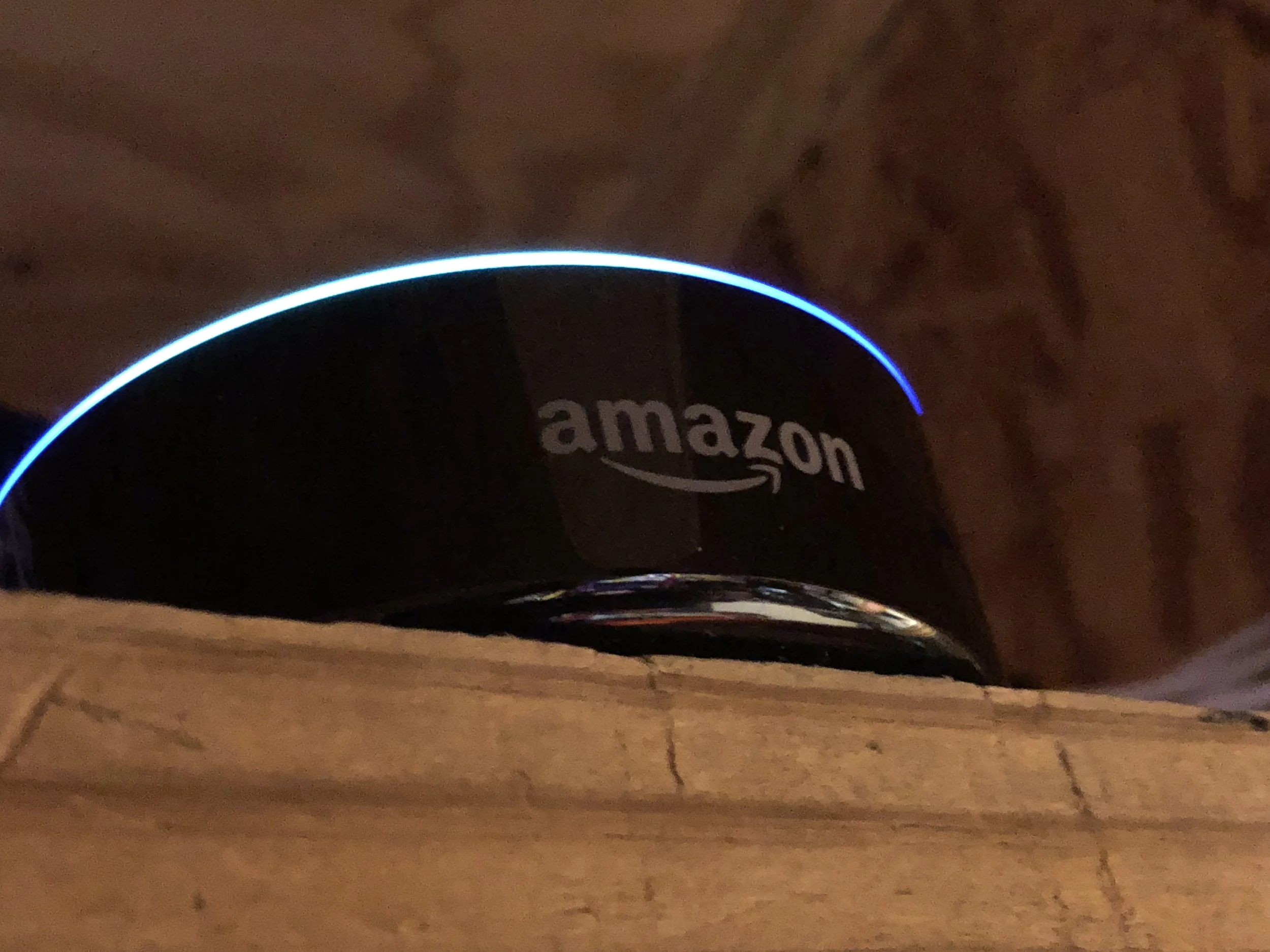
Also, I didn't need the full speaker capability of a full-sized Echo, this Dot is plugged in via headphone jack to an audio receiver. This allows us to hear (or optionally mute) Alexa's responses and gives the added benefit of voice-controlled music through connected music services.
One thing I liked about using an Alexa-enabled device over a Google Home (personally) was that I have experience building Alexa Skills and utilizing Amazon Web Services. If I need something custom, I can whip it up pretty quickly. So far, the stock capabilities are working just fine for my purposes, though.
Connecting the plugs
You enable the connectivity between your smart plug (or other devices) and the Echo / Alexa devices through the skills interface.
You basically pick the skills from the Alexa Skills catalog related to the plug vendor, sign in if necessary and then the Echo devices can discover those plugs on your network using those Alexa Skills integrations.

Once discovered, your smart devices will appear in the Smart home screens in the Alexa App. These screens recently underwent a design change and they feel a little clunky in terms of design and layout but the app is solid, functionally.

From here you can organize devices into groups. So, define a group names "The Pinball Machines" and choose all of those devices connected to pinball machines and Alexa will control those devices together.

Likewise, the group definitions give you an opportunity to alias or rename individual devices. Pictured here, Donkey Kong is an alias to the plug named Donkey Balls, which.. is an Expanse tv show reference among other things.
Sometimes grouping and aliasing is handy when the name of a plug doesn't work well with voice services. For instance, prepositional phrases can confuse Alexa. "Alexa, turn on Revenge from Mars" should control the plug for that pinball machine. However, "Alexa, play my awesome playlist from Spotify" plays music from a connected service. Including "from" in the name of the game made controlling that device difficult. Aliasing it as "Revenge" or "RFM" alleviates this pain and AI Intent confusion.
So, that's about I have for this post. Voice control in the game room is pretty danged cool. I'm sure one day, someone will shut down a game on me while I'm playing it in an irresistibly evil move. Hopefully voice recognition will improve and more plug options with better support will emerge..
Until then, if you need me - I'll be in the gameroom plugging and unplugging iHome plugs trying to keep them working.
Prop Making Posts
Dial of Destiny Ordering Info
Dial of Destiny Prop Build Update
Dial of Destiny Prop Build
Dial of Destiny Instructions
3D Printing Shenanigans
eBay Store - Etsy Store
highlighted Posts
Building a Small Indy Bar
8-Year Rule
SFGE 2019
Medieval Madness
Scared Stiff
S.F.G.E. 2018
T-Rex Gamer
S.F.G.E. 2017
Game Room Voice Control
S.F.G.E. 2016
Buying Pinball Machines
Dome Gaming Build
Pinball Industry Spring '16
Bill's Arcade Walkthrough '15
Free Play Florida 2014
“About” Posts
ARCADES
About: Mario Kart Arcade GP(2)
About: Tapper
PINBALL
About: Attack from Mars
About: Medieval Madness
About: Monster Bash
About: Scared Stiff
About: Star Trek The Next Generation
About: Indiana Jones (wms)
About: Tales of the Arabian Nights
OTHER
About: Ice Cold Beer
Contact
KLOV/VAPS Profile
Pinside Profile
Village Profile
Book-Of-Faces Profile
Stuff I'm Following
Gulf Coast Pinball & Arcade
GAPAS
The Village BBS
Kaneda's Pinball Podcast
John's Arcade
Dead Flip
Broken Token
Game Room Junkies
Pinball Undesirables
This Week in Pinball
How Did This Get Played?
GCPAC Resources
Machine Trading Post
Georgia Area for Sale (GAPAS)
Game Map
Resource Directory
Not Arcade Related but Still Awesome
Epic Rap Battles of History
Bald Move
Dan Carlin Hard Core History
Other Posts
-
October 2026
3
- Oct 18, 2026 R.I.P Printy McOldTimer Oct 18, 2026
- Oct 15, 2026 Making a Place to Make Things Oct 15, 2026
- Oct 2, 2026 Arcade Shenanigans, Finale Oct 2, 2026
-
January 2026
1
- Jan 2, 2026 Stranger Things Jan 2, 2026
-
October 2025
1
- Oct 5, 2025 Making A Prime Radiant (again) Oct 5, 2025
-
May 2025
2
- May 24, 2025 Working with Pearl May 24, 2025
- May 15, 2025 XL Filament Printing (live Draft) May 15, 2025
-
October 2024
1
- Oct 23, 2024 XL Resin Printing Oct 23, 2024
-
July 2024
1
- Jul 11, 2024 Dial of Destiny, A Year Later Jul 11, 2024
-
May 2024
1
- May 31, 2024 Tron Lightcycle Run May 31, 2024
-
March 2024
1
- Mar 26, 2024 Captain Crazy's Paradise Mar 26, 2024
-
January 2024
1
- Jan 1, 2024 Happy New Year! Jan 1, 2024
-
December 2023
1
- Dec 8, 2023 Merry Christmas Dec 8, 2023
-
October 2023
2
- Oct 30, 2023 Dial of Destiny Prop Info Oct 30, 2023
- Oct 3, 2023 Quick Prop Build: IJ Antidote Vial Oct 3, 2023
-
September 2023
1
- Sep 10, 2023 Building a Prime Radiant Sep 10, 2023
-
August 2023
1
- Aug 5, 2023 Dial of Destiny Mark 4 Conversion Instructions Aug 5, 2023
-
July 2023
1
- Jul 2, 2023 Indiana Jones and The Dial of Destiny Review Jul 2, 2023
-
June 2023
1
- Jun 3, 2023 Aviation Themed Whiskey Flight Boards Jun 3, 2023
-
April 2023
2
- Apr 30, 2023 Dial of Destiny Prop Build Apr 30, 2023
- Apr 16, 2023 Star Trek Picard Season 3 Apr 16, 2023
-
March 2023
1
- Mar 1, 2023 Home Bar Build: Tiki / Indy Adventure Theme Mar 1, 2023
-
February 2023
1
- Feb 27, 2023 Bambu X1C Feb 27, 2023
-
January 2023
1
- Jan 31, 2023 Some changes in 2023 Jan 31, 2023
-
December 2022
1
- Dec 11, 2022 Andor is Really Good (Really) Dec 11, 2022
-
November 2022
2
- Nov 28, 2022 God of War Ragnarök: A Perfect Sequel Nov 28, 2022
- Nov 18, 2022 Free Play Florida 2022 Nov 18, 2022
-
June 2022
1
- Jun 2, 2022 Modern Star Trek Round Up Jun 2, 2022
-
May 2022
2
- May 29, 2022 Stranger Things Season 4 May 29, 2022
- May 15, 2022 PS5 May 15, 2022
-
April 2022
1
- Apr 6, 2022 Bobiverse Books Apr 6, 2022
-
February 2022
1
- Feb 23, 2022 Free Guy Feb 23, 2022
-
January 2022
3
- Jan 30, 2022 Matrix Resurrections Jan 30, 2022
- Jan 22, 2022 BattleZone! Jan 22, 2022
- Jan 14, 2022 The Expanse Jan 14, 2022
-
September 2021
2
- Sep 22, 2021 Rock 'N Roll Pinball Sep 22, 2021
- Sep 1, 2021 SFGE 2021 Sep 1, 2021
-
August 2021
1
- Aug 23, 2021 Deep Crap for Deeproot Aug 23, 2021
-
May 2021
1
- May 6, 2021 Monster of a Game May 6, 2021
-
April 2021
2
- Apr 25, 2021 Mortal Kombat (2021 Movie) Apr 25, 2021
- Apr 3, 2021 Game Room Walkthrough April 2021 Apr 3, 2021
-
March 2021
1
- Mar 17, 2021 Happy St Pattys Day Mar 17, 2021
-
February 2021
3
- Feb 12, 2021 3D Printed Namco Reunion Dust Washer Feb 12, 2021
- Feb 10, 2021 BitKit Feb 10, 2021
- Feb 1, 2021 Joust Feb 1, 2021
-
January 2021
2
- Jan 26, 2021 3D Printing Monitor Adjustment Tools Jan 26, 2021
- Jan 18, 2021 3D Printing Connectors Jan 18, 2021
-
December 2020
3
- Dec 20, 2020 Christmas Vacation Dec 20, 2020
- Dec 4, 2020 Ready Player [n] Dec 4, 2020
- Dec 1, 2020 3D Printed Scared Stiff Slings (cont’d) Dec 1, 2020
-
November 2020
4
- Nov 30, 2020 Williams Indy Roto Lock Nov 30, 2020
- Nov 20, 2020 No Good Gofers Reconstruction Nov 20, 2020
- Nov 16, 2020 Mid-November Pinball Crossword Nov 16, 2020
- Nov 4, 2020 Scared Stiff Sling Reconstruction Nov 4, 2020
-
October 2020
2
- Oct 23, 2020 Upgrading our Retro Console Setup Oct 23, 2020
- Oct 12, 2020 Star Wars Squadrons is Awesome Oct 12, 2020
-
September 2020
3
- Sep 20, 2020 Sally Sep 20, 2020
- Sep 3, 2020 Going Virtual, The State of VR (dis)UNION Sep 3, 2020
- Sep 1, 2020 Blow On It Sep 1, 2020
-
August 2020
3
- Aug 29, 2020 More ICB Improvements Aug 29, 2020
- Aug 23, 2020 ICB Restarts (Conclusion) Aug 23, 2020
- Aug 19, 2020 Failed GC Attempts.. Aug 19, 2020
-
July 2020
1
- Jul 31, 2020 ICB EPROM Troubleshooting Shenanigans Jul 31, 2020
-
June 2020
1
- Jun 21, 2020 The Importance of Setup: Indy Adjustments Jun 21, 2020
-
May 2020
2
- May 20, 2020 Do the Flynn Thing May 20, 2020
- May 10, 2020 Monster Bash (again) May 10, 2020
-
April 2020
2
- Apr 30, 2020 Glass Corners (3D Print Stuff) Apr 30, 2020
- Apr 13, 2020 Hobby Tools Finding a New Use Apr 13, 2020
-
March 2020
2
- Mar 11, 2020 Pandemic Risk Mitigation & Pinball-Arcade Expos Mar 11, 2020
- Mar 3, 2020 RetroStone 2 Follow-Up (Video) Mar 3, 2020
-
February 2020
2
- Feb 29, 2020 The 8 Year Rule Feb 29, 2020
- Feb 27, 2020 Data is Beautiful, Video Game Sales Data is Sublime Feb 27, 2020
-
January 2020
3
- Jan 23, 2020 Call of Duty: Modern Warfare (2019 Release) Campaign Jan 23, 2020
- Jan 19, 2020 RetroStone 2 Jan 19, 2020
- Jan 11, 2020 Nintendo, The Over-achiever Jan 11, 2020
-
December 2019
1
- Dec 15, 2019 The Groovy Goat Dec 15, 2019
-
November 2019
3
- Nov 20, 2019 Ice Cold Beer Nov 20, 2019
- Nov 18, 2019 Fairhope Pins & Pints Nov 18, 2019
- Nov 2, 2019 Sillyness Nov 2, 2019
-
October 2019
1
- Oct 31, 2019 Introducing: This American Pinball Podcast Oct 31, 2019
-
September 2019
5
- Sep 15, 2019 Creepy Coincidences Sep 15, 2019
- Sep 13, 2019 Centipede’s G07 Sep 13, 2019
- Sep 11, 2019 A Look at the Books: Merch Sales this Summer Sep 11, 2019
- Sep 9, 2019 The Dreamcast Turns 20 Sep 9, 2019
- Sep 8, 2019 Mo’ Retro! Sep 8, 2019
-
August 2019
1
- Aug 19, 2019 Fire Marshall Bill Aug 19, 2019
-
July 2019
1
- Jul 16, 2019 SFGE 2019 or Bust! Jul 16, 2019
-
June 2019
4
- Jun 25, 2019 Southern Fried Gameroom Expo 2019 Show Info Jun 25, 2019
- Jun 22, 2019 A not particularly great game on a particularly great Pinball Jun 22, 2019
- Jun 12, 2019 Mad Galaga Skills on Display! Jun 12, 2019
- Jun 8, 2019 Playfield Protector, meet Indy. Indy, meet Playfield Protector Jun 8, 2019
-
May 2019
12
- May 31, 2019 Tempest! (A Photo Journey) May 31, 2019
- May 27, 2019 Mortal Kombat 11 (Now w/ PTSD!) May 27, 2019
- May 16, 2019 About Ice Cold Beer May 16, 2019
- May 15, 2019 About: Tales of the Arabian Nights May 15, 2019
- May 15, 2019 About: Medieval Madness May 15, 2019
- May 15, 2019 About: Attack from Mars May 15, 2019
- May 15, 2019 About: Indiana Jones May 15, 2019
- May 15, 2019 About: Star Trek: The Next Generation May 15, 2019
- May 15, 2019 About: Scared Stiff May 15, 2019
- May 15, 2019 About: Mario Kart Arcade GP & GP2 May 15, 2019
- May 15, 2019 About: Tapper May 15, 2019
- May 15, 2019 About: Monster Bash May 15, 2019
-
April 2019
5
- Apr 26, 2019 10 Minute Review: Attack from Mars Apr 26, 2019
- Apr 18, 2019 Review Shenanigans Apr 18, 2019
- Apr 14, 2019 A Good Blend of Old and New Apr 14, 2019
- Apr 12, 2019 Star Wars Episode 9, Rise of Skywalker Teaser Apr 12, 2019
- Apr 8, 2019 Upcoming Events.. Apr 8, 2019
-
March 2019
4
- Mar 26, 2019 Pinball at Game Over Retro Pub Mar 26, 2019
- Mar 20, 2019 Stranger Things Season 3 Trailer Mar 20, 2019
- Mar 18, 2019 Donkey Kong: The Re-Kongening Mar 18, 2019
- Mar 15, 2019 Ms Pac-Man Progress Mar 15, 2019
-
February 2019
3
- Feb 20, 2019 Namco 20yr Reunion Feb 20, 2019
- Feb 15, 2019 Wreck it Ralph 2, The Re-Wreckining.. Feb 15, 2019
- Feb 2, 2019 Micro Machines.. well... kinda. Feb 2, 2019
-
January 2019
7
- Jan 31, 2019 RetroAdvance, Update Jan 31, 2019
- Jan 25, 2019 Atari Star Wars Finds a New Home Jan 25, 2019
- Jan 25, 2019 RetroAdvance, First Impressions Jan 25, 2019
- Jan 20, 2019 RoadBlasters Hits the Road Jan 20, 2019
- Jan 18, 2019 Done, and.... done. Jan 18, 2019
- Jan 9, 2019 Munsters @ CES Jan 9, 2019
- Jan 3, 2019 "We have too much stuff!" Jan 3, 2019
-
December 2018
3
- Dec 30, 2018 Bandersnatch Dec 30, 2018
- Dec 24, 2018 Merry Christmas! Dec 24, 2018
- Dec 21, 2018 Seven Days in Sin City Dec 21, 2018
-
September 2018
2
- Sep 12, 2018 Fall 2018 Game List Sep 12, 2018
- Sep 5, 2018 Labor Day Pinball Maintenance Sep 5, 2018
-
August 2018
2
- Aug 20, 2018 Getting Medieval Aug 20, 2018
- Aug 10, 2018 Scared Stiff Progress Aug 10, 2018
-
July 2018
4
- Jul 23, 2018 Wake me up when you're done Jul 23, 2018
- Jul 16, 2018 Scared Stiff Jul 16, 2018
- Jul 13, 2018 God of War, A Dad's Review Jul 13, 2018
- Jul 1, 2018 My Dome / Environmental Game Pod - 4 years later Jul 1, 2018
-
June 2018
4
- Jun 21, 2018 T-Rex Gamer Jun 21, 2018
- Jun 20, 2018 The Death of Tubby Jun 20, 2018
- Jun 17, 2018 SFGE 2018 Jun 17, 2018
- Jun 7, 2018 Data East Star Wars at SFGE 2018 Jun 7, 2018
-
May 2018
1
- May 19, 2018 25 Year Old Pinball or Boxed Wine May 19, 2018
-
April 2018
1
- Apr 2, 2018 Robotron in the House Apr 2, 2018
-
March 2018
1
- Mar 29, 2018 Ready Player One Mar 29, 2018
-
February 2018
2
- Feb 28, 2018 Smart Plugs - a Year Later Feb 28, 2018
- Feb 20, 2018 Gameroom Changes, Concluded (Early 2018) Feb 20, 2018
-
January 2018
3
- Jan 15, 2018 Out with the New, in with the Old Jan 15, 2018
- Jan 5, 2018 (Sold): Revenge from Mars Jan 5, 2018
- Jan 3, 2018 Vegas Arcade-y Goodness and Amazon (AWS) Re:Invent Jan 3, 2018
-
December 2017
1
- Dec 25, 2017 Merry Christmas! Dec 25, 2017
-
November 2017
1
- Nov 2, 2017 Halloween 2017 Nov 2, 2017
-
August 2017
1
- Aug 15, 2017 Attack from Mars Aug 15, 2017
-
June 2017
2
- Jun 17, 2017 Mid-Year Game Room Progress Jun 17, 2017
- Jun 14, 2017 Southern Fried Shenanigans Jun 14, 2017
-
May 2017
1
- May 4, 2017 Star Wars Day May 4, 2017
-
April 2017
1
- Apr 9, 2017 Red Tent Goodness Apr 9, 2017
-
January 2017
2
- Jan 30, 2017 RIP Masaya Nakamura Jan 30, 2017
- Jan 1, 2017 A New Year! - A glance back and looking forward Jan 1, 2017
-
December 2016
1
- Dec 26, 2016 Game Room Voice Control w/ Amazon Echo Dec 26, 2016
-
November 2016
1
- Nov 6, 2016 Halloween Party 2016 Nov 6, 2016
-
October 2016
1
- Oct 30, 2016 Star Wars Oct 30, 2016
-
September 2016
1
- Sep 17, 2016 Arcade Move Sep 17, 2016
-
August 2016
1
- Aug 15, 2016 The Ghostbusters Effect Aug 15, 2016
-
July 2016
2
- Jul 30, 2016 July Arcade / Pinball Open House Jul 30, 2016
- Jul 3, 2016 Southern Fried Gameroom Expo 2016 Jul 3, 2016
-
June 2016
1
- Jun 25, 2016 Buying (and selling..) Pinball Machines Jun 25, 2016
-
April 2016
1
- Apr 15, 2016 A Busy Spring in Pinball Apr 15, 2016
-
February 2016
1
- Feb 23, 2016 Looking for Contributors Feb 23, 2016
-
January 2016
2
- Jan 10, 2016 Saying Goodbye to Tron! Jan 10, 2016
- Jan 1, 2016 December was Awesome - Happy New Year! Jan 1, 2016
-
November 2015
2
- Nov 28, 2015 Bills Arcade, Walkthrough 2015 (in 4k!) Nov 28, 2015
- Nov 2, 2015 Pirates! Nov 2, 2015
-
October 2015
3
- Oct 29, 2015 Halo 5 Oct 29, 2015
- Oct 24, 2015 Halloween Block Party 2015 Oct 24, 2015
- Oct 1, 2015 Dome Gaming Build Oct 1, 2015
-
August 2015
1
- Aug 3, 2015 Gulf Coast Pinball / Arcade Enthusiasts Aug 3, 2015
-
June 2015
1
- Jun 15, 2015 Some Arcade Playtime Jun 15, 2015
-
May 2015
2
- May 26, 2015 ...over the weekend.. an Epic Indy Match May 26, 2015
- May 13, 2015 Donkey Mother F#?@*&% Kong May 13, 2015
-
April 2015
1
- Apr 6, 2015 Busy Couple Weeks of Arcade Goodness Apr 6, 2015
-
March 2015
1
- Mar 8, 2015 A Look at Star Wars by Data East Mar 8, 2015
-
December 2014
1
- Dec 4, 2014 Free Play Florida Dec 4, 2014
-
July 2014
1
- Jul 14, 2014 Bill v Tron Pinball Jul 14, 2014
-
June 2014
1
- Jun 17, 2014 Star Wars Trilogy Pinball (Owner / Overview and Repair Tale) Jun 17, 2014
-
May 2014
1
- May 25, 2014 Arcade Collecting: About 3 Years In May 25, 2014
-
February 2014
1
- Feb 17, 2014 Star Wars Trilogy Pinball Resurrection Feb 17, 2014
-
November 2013
1
- Nov 15, 2013 Mario Kart GP Arcade Owner Review Nov 15, 2013
-
June 2013
1
- Jun 12, 2013 About Arcades (and Console Video Gaming) Jun 12, 2013